Web productOctober 2026
QRuma: party games on one big screen with phones as gamepads
QRuma opens the game on one big screen and shows a QR code. Players scan it and their phones become gamepads in the browser, while a Node.js server keeps one shared game state for everyone. The platform grew out of VibeCatter and now lives at qruma.app
- Type
- Web product
- Project date
- Website
- qruma.app
- Published
How do you play one game with a whole room when nobody installs anything?
QRuma is my party-game platform: one screen for the room, a phone in every hand, nothing to install. I built it on VibeCatter and in October 2026 moved it into a product of its own at qruma.app
Key facts
- Website
- qruma.app
- Equipment
- one screen with a browser and internet · players' own phones
- Install
- none: the gamepad opens in the phone browser after a QR scan
- Games
- Immune Z, Race Track, Quiz Battle, Tower Defence, WarLine
- Languages
- English, Spanish, Ukrainian, Russian
- Game server
- authoritative Node.js, applies inputs up to 60 times per second
The idea: one game for the whole room
Most multiplayer games expect every player to own a console or to install an app. A room full of people has neither: guests at a party, a corporate event or a conference break will not download anything or create accounts.
QRuma removes that step:
- One screen for everyone. A TV, laptop, projector or LED wall runs the game in a browser.
- The phone in every pocket is the gamepad. Scan a QR code and play: no app, no store, no sign-up for players.
- Real time. Players move, race and answer at the same moment, and the screen shows all of it smoothly.
- Ordinary networks. Phones do not need the screen's Wi‑Fi; mobile data works.
How it works
The screen opens a game on qruma.app, creates a room and shows a QR code with a short room code. Each player scans it and the gamepad opens in the phone browser: a joystick, buttons or answer tiles, depending on the game. Anyone who cannot scan enters the room code.
Five games show that the platform is not tied to one genre:
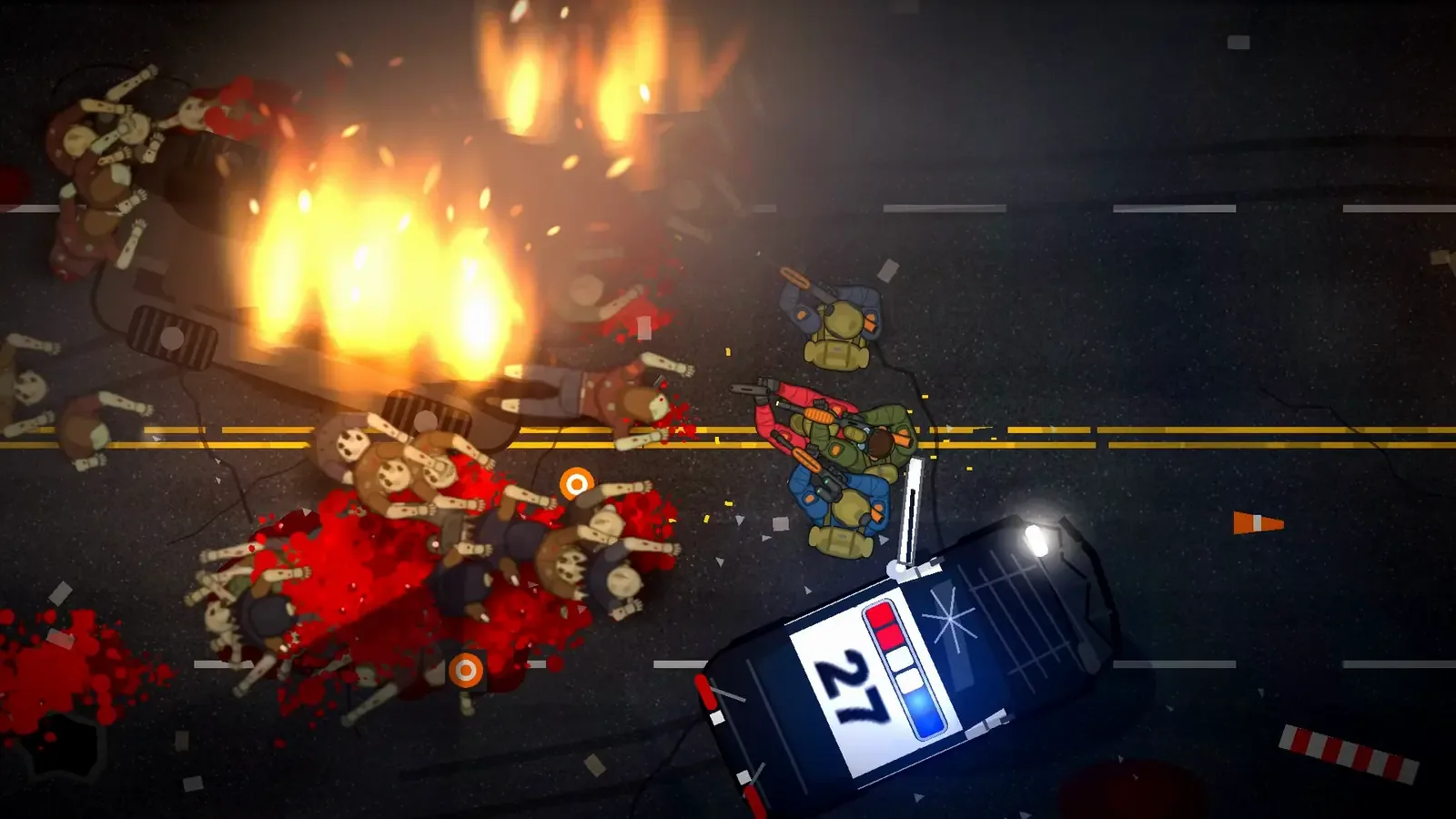
- Immune Z. A co-op top-down zombie shooter for 1–10 players.
- Race Track. Racing for 1–8 players.
- Quiz Battle. A quiz for 2–30 players with ready-made and custom question packs.
- Tower Defence. Co-op defence for 1–4 players.
- WarLine. A team strategy game about territory for 2–20 players.
Implementation and technology
Authoritative game server. Node.js with Express and Socket.IO. The server is the single source of truth: phones send inputs, the server applies them up to 60 times per second and sends the state to the screen. A phone cannot decide on its own that it scored.
A connection that survives real networks. Socket.IO works over WebSocket and falls back to HTTP long-polling when a network blocks it. A phone that briefly loses the network reconnects on its own.
A browser instead of an app. Every install step loses part of the room, while every phone already has a browser. Updates reach all players at once.
Screen and gamepads. Next.js, React and TypeScript; the shooter is drawn with PixiJS. The interface speaks four languages.
Data and operations. PostgreSQL with Prisma. QRuma has its own server, database and release process, separate from VibeCatter.
Results
- QRuma has run as a separate product at qruma.app since October 2026, with its own server and database.
- Five multiplayer games of different genres on one platform.
- Joining by QR code or room code, with no app and no shared Wi‑Fi.
- Four interface languages: English, Spanish, Ukrainian and Russian.
- Sign-in with Google, Apple or Telegram for players who want to keep their results.
Try it
- Open qruma.app on a laptop or a TV.
- Pick a game and start a room: the screen shows a QR code.
- Scan it with your phone, and with two or three more phones if you can.
If you need a game for your event, a branded quiz or a product where phones act as controllers, write to me. For a whole product, see MVP development.
Technologies
Questions and answers
Do players need to install an app?
No. The gamepad opens in the phone browser after a QR scan. Phones need internet, but not the same Wi‑Fi as the screen
What equipment is needed?
One screen with a browser and internet: a TV, laptop, projector or LED wall. Players use their own phones
Why is QRuma a separate product?
The games outgrew a portfolio site, so they got their own address, server and pages for events and brands. VibeCatter stays the site of my work and services